Alexandre Nickel, a podcaster, producer and partner at an agency that has specialized in podcasts for more than eight years, recommends starting by testing what you already have. That way, you can see what’s missing before spending any money. Run the test before reaching for your card.
Where should you record a podcast? Your space matters as much as your equipment
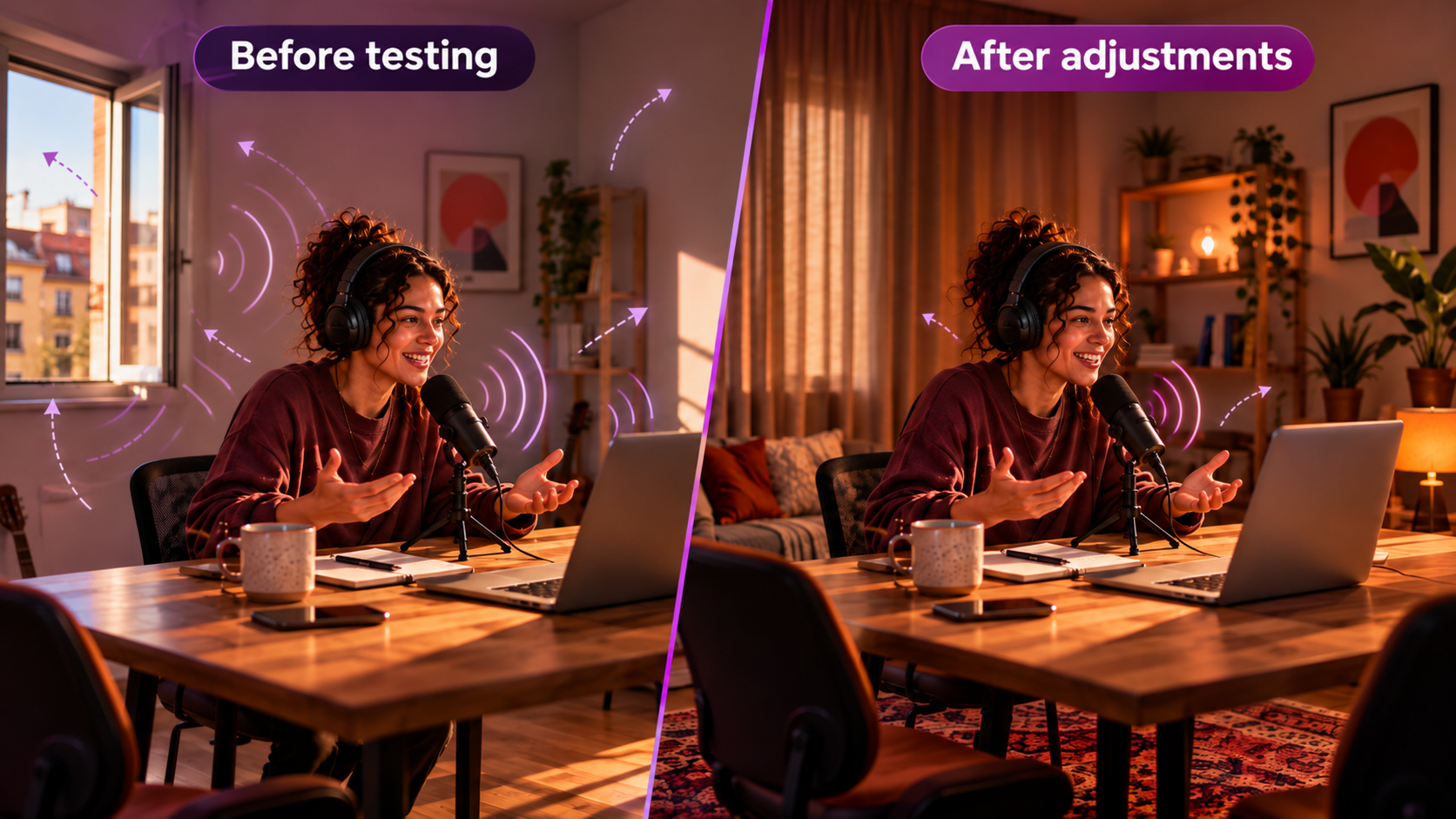
Record 30 seconds in the place where you plan to produce your podcast and listen through headphones. Pay attention to street noise, the echo of your voice and the thud of every tap on the table. If any of those sounds compete with the conversation, adjust the space and test again.
Look for the quietest room in the house. Curtains, rugs and furniture can help reduce sound reflections. Close the window, switch off anything making noise and keep knocks on the table from reaching the microphone. Then record again and compare it with your first test.
Nickel recommends experimenting first, even with your phone. After a few tests, it gets easier to see what needs to improve and what can wait.
Podcast recording equipment: how to choose your audio and video setup
Before choosing podcast recording equipment, decide how the conversations will work. Will you record alone, invite guests to the same table or interview someone remotely? That decision, along with whether you include video, changes what you’ll need.
Audio: how to choose podcast recording equipment
The Audio-Technica ATR2500x-USB connects directly to your computer. The FIFINE K688 offers USB and XLR. The original RØDE PodMic uses XLR and needs a compatible audio interface or recorder. When choosing podcast recording equipment, that detail matters: check what else you’ll need to connect the microphone and record.
For recordings with several voices, the Zoom H6 and RØDECaster Pro II are examples of equipment for recording different microphones. Check the inputs, cables and operation before investing.
For a closer look at choosing a microphone, see our podcast microphone guide, with options for different formats and budgets.
Video: cameras and lighting for anyone who wants to produce a videocast
You can make an audio-only podcast. But if you want to show participants’ gestures and reactions, try recording with your phone. Find good lighting and frame the scene before thinking about a new camera.
The Lumix G7, Sony ZV-E10 and Blackmagic 4K cameras are examples for different production levels. Before buying, think about the episode’s length, the power supply and who will operate the camera.
If the project will include video, see our videocast setup guide.
How to edit and where to publish your podcast after recording
Finished recording? Keep the original files before you start editing. Cut errors and pauses that get in the way of the conversation, and adjust the voices’ volume. If the audio turned out badly, go back to testing the space. You can’t fix everything in the edit.
DaVinci Resolve lets you edit audio and video. Riverside and StreamYard are options for recording remote conversations. Before signing up, separate what you need for recording from what you’ll use for editing. Features may overlap between plans.
When it comes to publishing, hosting and distribution are different things, too. Spotify for Creators can host your show and generate its RSS feed. To reach other apps, you may need to enable the feed and submit your podcast to each service.
See our guide to editing, hosting and publishing podcasts, too.
Your podcast doesn’t need to start with a fully equipped studio
The best podcast recording equipment solves a real need in your production. If the sound is already good, your next investment might not even be a microphone. Each episode helps you understand what works and what can still improve.
And there’s something interesting about that process: as you learn to record, edit and find your show’s rhythm, your audience starts getting to know your world better, too.
A conversation that didn’t make it into the episode, a story from behind the scenes or even listeners helping choose the next topics can become new content and strengthen that relationship. Gradually, someone who came to hear one interview may start following the whole project.
That’s when it’s worth looking beyond streaming platforms. On Flamus, you can bring together people who want to take part more closely, share exclusive content and create new monetization opportunities to sustain your podcast.
Your setup can evolve over time. Your community can, too. Come build with Flamus.